Hack-a-Day is a challenge to complete one project a day in November from scratch.

Today's "hack" was a blitz of the Python Challeng. I didn't finish it -- I got through about 10 of the 33 total levels.

Since the goal is really to practice your python and have fun with riddles, no code shared on this one.

Peace out!

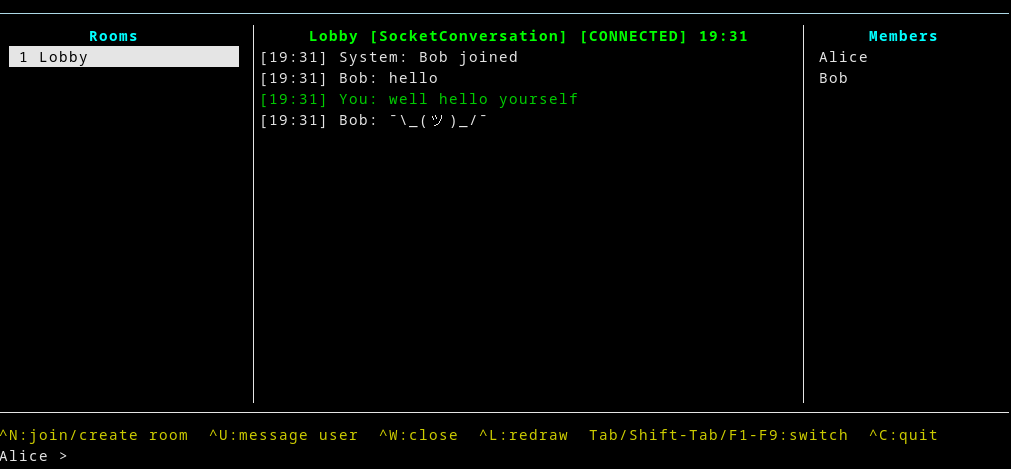
Today's project was a vibe-coded chat program. For those unfamiliar, "vibe coding" is programming where an AI does the majority of the coding, and in fact is often undertaken by non-programmers. In my case I took an approach a bit closer to "architect" than entirely hands-off, but an LLM did all the heavy lifting.

The code is here -- roughly one commit per interaction, with a few combined. The prompts are not included.

I've mostly been using AI very little during hack-a-day... sometimes to help debug, and in one case to write another "boring bit" (convert Minecraft world to JSON, for the voxel engine). It might get stuff done, but it's not going to improve the same set of skills to do stuff with an AI. And I'm generally a bit wary of using AI, because it can really just spew some absolute bullshit, which is in my head afterwards.

I've had a relatively better experience using Anthropic's Claude than most other products (for which I have a paid plan). Unfortunately they have very opaque usage caps, and I'd hit limits repeatedly during this project. Then it would say "please try again at 4pm" (in 3 hours). So I pretty much ran out of LLM usage on this one.

Overall I'd say I got to do some coding I usually wouldn't. The project was a curses frontend for a chat (and backend, but that didn't really get done yet). Something like making a curses interface would usually be a bit too boring for me--being able to collaborate with an LLM, who doesn't find such things boring, is great. Other than tooling issues, the main problem is that Claude doesn't write the best code. It generally has a very "junior programmer" vibe, with no use of abstraction, and tends toward the verbose.

My general take on AI though is that someone showed me a horse than can write an essay, and I'm complaining its penmanship is atrocious. It's pretty amazing stuff, and we're probably all going to be dead soon.

In the meantime it's pretty fun to mess about with.

PS: I do plan to update this one further, it just will require a bit of work each day given the rate limits. I had really grand plans, but we only got the bare minimum done.

Peace out!

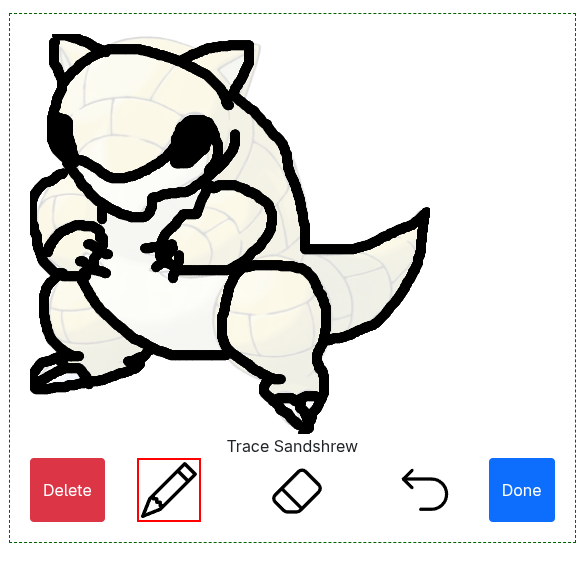
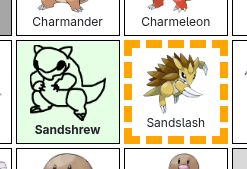
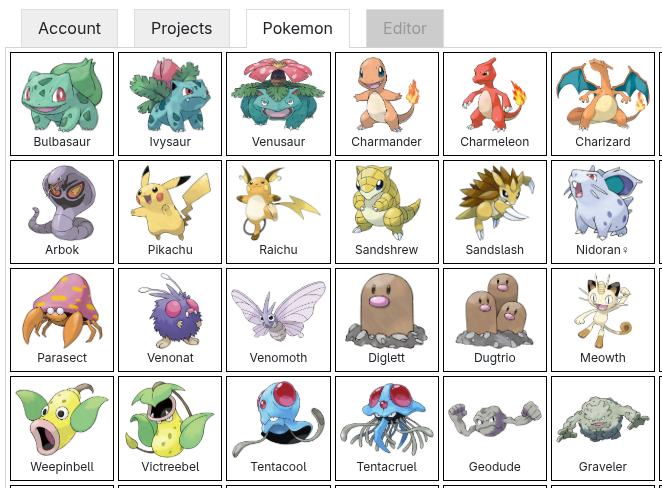
Today's hack-a-day project was Pokétrace. Did you ever, as a little kid, trace stuff you liked? It's how we learn art! I made this as a way to relax for adult (and for kiddos, of course!). And to improve my art skills.

You can trace pokemon in your browser. Let me know if you want any generations other than the first one, or show me any fan art you make! I'd love to see it.

This one should work on phones and tablets. Let me know if you run into any problems.

You can save your finished pokemon as an HTML file, and it should save progress (but only on your computer).

Open offer: if you trace all 150 pokemon, I'll make it into a coloring book version for everyone. And if you draw fan art of all 150 pokemon, I'll send you a poster of your art! (as long as you don't live somewhere with crazy shipping for me)

Enjoy!

Today's hack-a-day project was the Cookbook 2.0. I wrote a collection of my recipes in 2020. I've updated it with what I've learned in the last 5 years. Among other things, it has 57 new recipes.

You can read it online in a couple formats.

Enjoy!

Today's hack-a-day project was the Pokédex -- the fictional companion that tells you about pokemon in the game. My main goal was just to get the info into a reasonable database format, but along with way I built a little viewer too.

The plan is to make some kind of art game where you do pokemon fanart, a coloring book, or even a tracing game in the coming days. And now I'm ready, with art of each pokemon on hand.

Today's hack-a-day project was the German Language Reader. It shows you the text of "German Legends" by the Brothers Grimm. Yes, the same brothers known for "Grimm's Fairy Tales" and perhaps less-so, the first dictionary.

If you highlight a word, you get the definition in english.

You can try it online. As usual, source code is on github.

I had hoped to have a German mode, but the German wiktionary API has been down for a week!

If you're technically inclined, it's not too bad to substitute in your own book. You'll need it in TXT format (to extract the words), and HTML format (to display).

I'm happy with this project, although I am posting it on the 10th, quite a bit late.

I had some minor help from Claude.

Enjoy!

Yikes, been having some back pain, and the past few days it's been tougher to work. I've started four projects in four days, without too much to show for it.

  • Day 01 project is waiting on computation to run; overall I'm happy with it but will post when I get the results.
  • Day 02 project I barely started and won't finish, most likely. It takes a photo of a Go board and tries to output the game. I'd learn some image processing doing it, but I'm sure there's plenty of existing and better tools to do the same thing.
  • Day 03 project was a bit ambitious. Will post it if I finish (and hopefully I will, it's cool!)

Today's hack-a-day project was Reverse Vibe Coding. I sometimes use LLMs such as Claude for "vibe coding", mostly on throwaway type projects. It didn't seem fair for that to go only one way, so today I offered to vibe code for Claude -- it picks what I should make, and I code it up for Claude.

The result is the Conversation Flow Visualizer. This graphs when new topics come up in conversation, and what they are.

Frankly I think it's dumb and useless, but Claude is the boss, so there ya go! Can't pick who you work fo... okay, I guess I could this time.

In any case, it was pretty relaxing to be a junior dev and just do as I'm told for a bit, honestly. Easy win.

I honestly think this would be a good way to learn a new programming language or a new library.

Peace out!

Hack-a-Day is my self-imposed challenge to do one project a day, for all of November.

How do you render 3D graphics? Here's a picture of a cube:

 a 3D cube
a 3D cube

But when you draw it on paper or a screen, it's flattened. All you see are these three faces.

 a 2D cube
a 2D cube

In fact, if you turn off your brain, it's just three weird polygons. And we can figure out the corners of the polygon. For example, I figured out these with a ruler, measuring they they are on the paper in centimeters.

 some polygons
some polygons

So to draw a cube, we just need to draw polygons. That's the essence of today's project.


Here's a minecraft world.

 my minecraft base
my minecraft base

Here's the same thing in my voxel engine. If you squint, you might be able to recognize they're the same thing. Ignore the stripe at the top.

 my "minecraft" base
my "minecraft" base

Here's a much simpler scene. If you click, you can explore it online

 some 3d stuff
some 3d stuff

The source code is on github.


This hack wasn't perfect. There's some significant problems, and I worked on it 3 different days. Oh well, live and learn! I had fun.

Thanks to Claude for the code to extract minecraft data -- that was not the exciting part of this project.

The board game Go has been revolutionized in recent years by computer play. In 2016, AlphaGo beat Lee Sedol, a top Go player. This was the equivalent of what happened in Chess in 1997.

Since then, computers have continued to outstrip human players, but we have been learning a lot from Go engines. In this article I did some investigation using KataGo, which I understand to essentially be an open-source clone of the AlphaGo architecture.

This article assumes familiarity with the board game. If you're not familiar, I encourage you to give it a try sometime! Find a local try, or play online.


We have only one operation we can do. We can ask KataGo to analyze a position, and tell us how good that position is. That's the only operation we'll use in this article. And we're supposed to tell KataGo what the komi is.

KataGo returns two pieces of information for a position. An estimate of the score, and a percentage win chance.

 Score is B+12, black win rate is 99.8%
Score is B+12, black win rate is 99.8%

The estimate of the score is determined (according to my very poor understanding), using an estimator which looks at the board, but doesn't try any moves. This is a fast, but low-quality metric.

On the other hand, the win rate is detemined by, simplifying some details, trying playing the game a bunch of times really fast and seeing how often black wins. It's slower, but more accurate.


Our first question is: How much should komi be?

Using only our one tool, let's figure out what KataGo thinks.

Well, in theory, what does a "good" komi mean? It means black and white should both win about 50% of the time. So let's just guess every possible komi, and find the one with the closest to 50% win rate.

Or, we could use the fast score estimator on an empty board with zero komi. If it thinks black is ahead by 6.0, maybe we could set komi to 6.0.

size komi estimate (winrate) komi estimate (neural)
3 +14.0 +4.4
4 +0.5 +2.4
5 +25.5 +23.3
6 +3.0 +4.3
7 +8.0 +8.7
8 +9.0 +6.6
9 +6.0 +6.0
10 +6.0 +5.6
11 +6.0 +5.5
12 +6.0 +5.5
13 +6.0 +5.6
14 +6.0 +5.5
15 +6.0 +5.7
16 +6.0 +5.8
17 +6.0 +5.9
18 +6.0 +6.1
19 +6.5 +6.2

It turns out both methods give similar results. We're going to use the win rate method going forward, because in general I've been told it's more accurate for many board positions.

In fact, we can use the same method to evaluate any board position accurately. We can figure out what komi would make that board position 50-50 for white or black to win. And then we can treat that as the "value" of the position.

For the rest of the article, we're going to simplify, and only ask the value of board positions. We don't care which method we use, but I'll mark the fast-and-simple method as "neural", and the winrate method as "komi" or "winrate" in pictures.


Our next question is, what are different starting moves worth? Well, let's just play every one and see what KataGo says the score is.

 estimating score by finding win rates around 50%
estimating score by finding win rates around 50%
 estimating score with the fast neural estimator
estimating score with the fast neural estimator

Note that all scores are relative to +6.5 for the empty board, which is why some values are negative.


Okay, easy enough. What about different numbers of handicap stones? Using standard placements, we get:

size handicap value estimate (winrate) value estimate (neural)
19 1 +6.5 +6.2
19 2 +20.0 +19.2
19 3 +32.5 +32.5
19 4 +47.5 +46.6
19 5 +59.5 +58.3
19 6 +72.5 +71.8
19 7 +86.0 +85.1
19 8 +100.5 +100.3
19 9 +115.5 +114.7
13 1 +6.0 +5.6
13 2 +19.5 +18.6
13 3 +32.5 +30.7
13 4 +48.0 +47.4
13 5 +59.0 +58.6
13 6 +75.0 +74.5
13 7 +87.0 +84.0
13 8 +100.5 +96.1
13 9 +109.5 +102.3
9 1 +6.0 +6.0
9 2 +16.0 +16.0
9 3 +27.5 +27.1
9 4 +75.0 +53.5
9 5 +74.5 +79.0

Now let's make things more spicy. I keep winning every 1-stone game, but losing every 2-stone game. I want a 1.5 stone handicap. Well we can't add fractional stones, but we can look for something worth between 6.5 and 20 points.

Or, let's find something worth 0.0 points. I want a board position we can start with and not need that dumb komi rule.

Let's do the full analysis. Every possible starting board positions. Then we'll look for one that KataGo says is worth around... say, 12 points.

Of course, we can't really analyze every board position, so I just did ones with up to 2 stones. I included ones with white stones, because why not?

Here's what the ones with two black stones on 19x19 look like. It might take a bit to load, and you'll need to zoom in.


The full set of pictures is online.

  • 19x19, 1-stone positions (black) winrate neural
  • 19x19, 1-stone positions (white) winrate neural
  • 19x19, 2-stone positions (black-black) winrate
  • 19x19, 2-stone positions (black-white) winrate
  • 19x19, 2-stone positions (white-white) winrate
  • 19x19, positions closest to exact point values winrate

  • 9x9, 1-stone positions (black) winrate neural

  • 9x9, 1-stone positions (white) winrate neural
  • 9x9, 2-stone positions (black-black) winrate
  • 9x9, 2-stone positions (black-white) winrate
  • 9x9, 2-stone positions (white-white) winrate
  • 9x9, positions closest to exact point values winrate

You can also get the raw score of 2-stone (and lower) positions on 9x9 and 19x19 boards. The code to do analysis and generate the pictures is on github, as are details on exact software settings used.

Thanks to Google for AlphaGo, and to lightvector for Katago (and Katago support).


Addendum.

After doing this project, I found it had already been done (better) at katagobooks.com. Apparently what I've done is called an "opening book", even if my goal was a bit different.

I'm not sure what the correct name for these parts organizers is. I usually call them "Tackle Boxes", even though that's not quite right. People tend to use them to store tiny screws and so on. I use them for electronics.

Today I designed little paper insert to go into them (in CAD), so I can label which electronics are which and find them more easily.

Sadly, US letter is not quite big enough to cover the whole box.

Printable PDF is available in A4 or in US letter. You can also see the SVG I was given originally which inspired this.

I recomment holding the paper in place with double-stick tape. If you don't have that, the usual trick is to roll normal tape into a small loop facing outwards.

P.S., to crop a PDF from A4 to US letter (assuming everything fits on both) without inflating the file size, use:

# Keeps all physical dimensions the same
pdfcrop --bbox "0 0 792 612" smallthing-on-A4.pdf smallthing-on-usletter.pdf